Workspace
The active editor is the v2 project workspace. It uses tabs for each design stage, a shared 3D viewer, floating toolbars, draggable panels, and an autosaved project state.
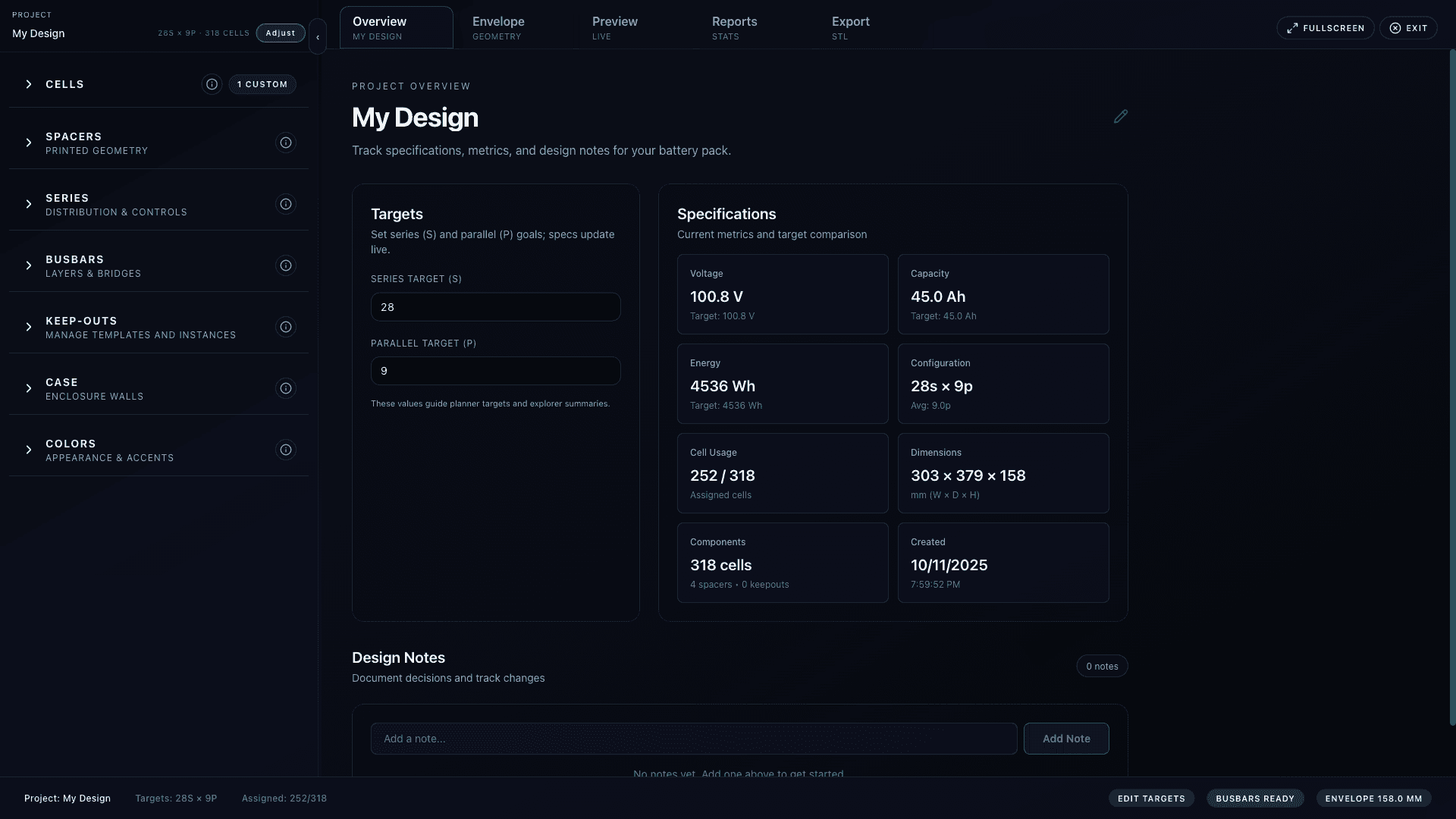
Top-level tabs
Geometry
Edit the footprint, length, width, and depth. The canvas updates available cell slots immediately.
Case
Configure case mode, walls, chamfer, clearance, keep-outs, lids or panels, cutouts, mounts, and STL imports.
Spacers & Layout
Set rectangular or hex packing, cell spacing, spacer lips, layer gaps, and advanced spacer options.
Series
Paint cells into series groups. The stats panel shows progress, contiguity, adjacent links, and lock readiness.
Busbars
Create busbar layers, configure cap openings, flip layer sides, manage folds, and preview busbar geometry.
Export
Switch between Export and Reports. Export files or inspect pack stats, resistance, sag, and OCV curves.
Global controls
- Undo and redo are available in the top bar and via Cmd/Ctrl+Z or Cmd/Ctrl+Shift+Z.
- Targets opens the series/parallel target modal unless the series assignment is locked.
- Cell opens the searchable cell picker and custom cell modal.
- Exit returns to My Designs.
- F toggles fullscreen, T collapses or expands the active tab toolbar, and S toggles the Series stats panel.
Viewer and panels
- The same PackViewer is reused by Case, Spacers & Layout, Series, and Busbars, so camera position persists across tab switches.
- Floating panels can be dragged, minimized, closed, and reopened from the toolbar. Panel positions are stored in local storage.
- Visibility policies change by tab. For example, Series enters paint mode and Case enters case edit mode automatically.
- The status bar reports project title, targets, assigned cells, busbar eligibility, and series lock state.
When to lock series
Lock series only after keep-outs and case constraints are stable. The lock protects wiring edits and gates some geometry changes, but you can unlock if you need to revise the pack.
Autosave and transient edits
- Most edits are saved to the project state automatically.
- Paint overlay edits are committed before tab changes to avoid losing in-progress series assignments.
- The viewer may show Updating preview while the worker recomputes cell slots, spacers, keep-outs, and assignments.
- Large STL import bytes are not kept in the saved project state; the project stores metadata and storage references.